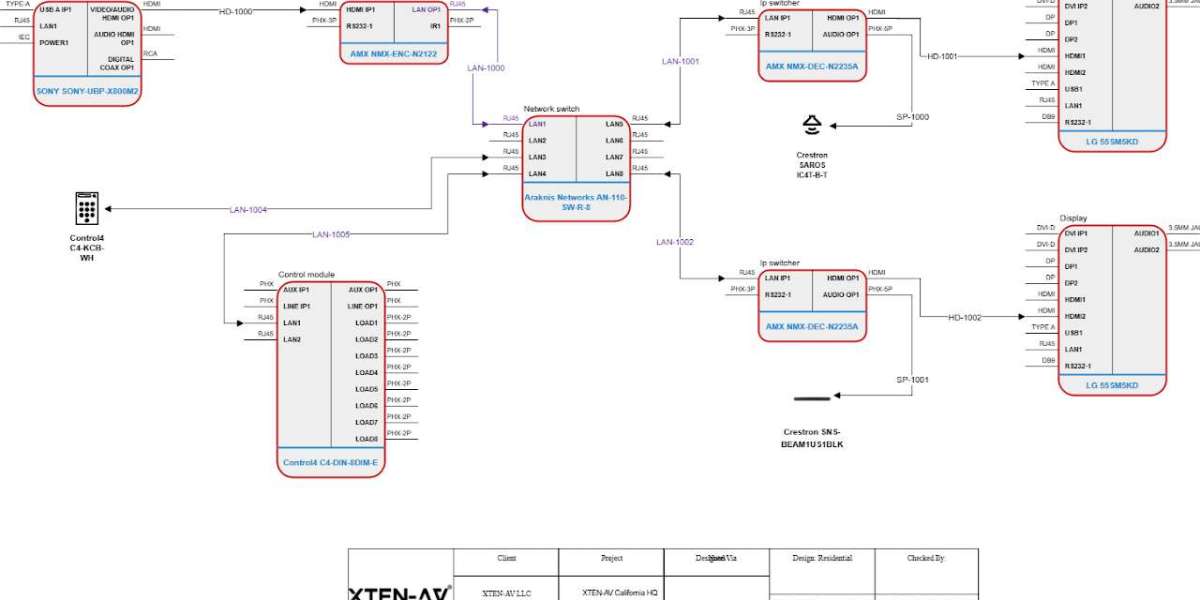

The field of architecture, engineering, and design is evolving rapidly with the introduction of artificial intelligence in design software. Traditional CAD tools like AutoCAD have long been the industry standard, but modern AutoCAD Alternatives are now leveraging AI to enhance efficiency, improve accuracy, and streamline workflows. These AI-powered tools are transforming the way designers approach projects, from concept creation to detailed modeling and real-time collaboration.
Why AI-Powered AutoCAD Alternatives Are Gaining Popularity
Design projects are becoming increasingly complex, and the need for precision and speed is higher than ever. AI-powered AutoCAD Alternatives address these challenges by automating repetitive tasks, suggesting design improvements, and providing intelligent insights. For professionals, this means less time spent on manual drafting and more time focused on creative problem-solving.
AI also supports predictive modeling, optimization of layouts, and error detection, which helps reduce costly mistakes during the design phase. For teams working collaboratively, AI-powered tools can suggest adjustments in real time, improving efficiency and decision-making.
Key Features of AI-Powered AutoCAD Alternatives
Before exploring the top alternatives, it is important to understand the features that make AI-powered design tools stand out.
1. Automated Drafting and Design Suggestions
AI can automatically generate drawings, complete repetitive tasks, and suggest design options based on project requirements. This accelerates the drafting process and allows designers to explore multiple design alternatives quickly.
2. Error Detection and Optimization
AI tools can identify inconsistencies, clashes, and errors in designs before they reach the construction phase. This reduces the risk of costly rework and ensures compliance with design standards.
3. Intelligent Component Placement
AI can recommend the optimal placement of architectural elements such as walls, doors, windows, and furniture based on best practices and spatial requirements. This helps create efficient and functional layouts with minimal manual adjustment.
4. Predictive Analytics and Performance Modeling
Some AI-powered tools can predict the performance of designs in real-world scenarios, such as energy efficiency, structural integrity, or spatial utilization. Designers can use these insights to improve their projects before implementation.
5. Cloud-Based Collaboration with AI Assistance
AI-powered AutoCAD Alternatives often include cloud features that enhance collaboration. Teams can work simultaneously on a project while the AI suggests improvements, detects conflicts, and optimizes designs in real time.
6. Smart Rendering and Visualization
AI accelerates rendering and visualization processes, enabling faster creation of realistic images, walkthroughs, and 3D models. Designers can provide clients with immersive presentations more quickly, improving feedback cycles and project approvals.
Top AI-Powered AutoCAD Alternatives
Several AutoCAD Alternatives are leading the way with AI-powered features. Here are some of the top tools:
1. Autodesk Fusion 360
Fusion 360 integrates AI and machine learning to assist with design, simulation, and optimization. It can automate repetitive CAD tasks, suggest improvements, and simulate real-world performance. Its cloud-based platform also allows seamless collaboration, making it suitable for both educational and professional use.
2. Onshape
Onshape is a cloud-native CAD platform that leverages AI to enhance design workflows. Its intelligent design tools assist with error detection, component placement, and version control. Real-time collaboration ensures that teams can work together efficiently from any location, while AI helps optimize designs automatically.
3. BricsCAD
BricsCAD uses AI-driven features such as predictive design and constraint recognition to streamline drafting. Its AI tools can detect design conflicts, suggest corrections, and automate common tasks. BricsCAD supports both 2D and 3D design, making it versatile for architects, engineers, and designers.
4. SketchUp with AI Plugins
While SketchUp itself is widely known for its simplicity and ease of use, several AI-powered plugins extend its capabilities. These plugins can automate layout suggestions, optimize space utilization, and enhance rendering speed. Students, educators, and professionals can benefit from AI-driven enhancements while working in a familiar interface.
5. Vectary
Vectary combines 3D modeling with AI-powered automation and collaboration. Its AI tools assist with component placement, scene optimization, and layout suggestions. Being a cloud-based platform, it enables real-time collaboration and fast rendering, making it ideal for both individual designers and teams.
Benefits of AI-Powered AutoCAD Alternatives
Adopting AI-powered AutoCAD Alternatives provides several advantages for architects, engineers, and design teams:
Increased Efficiency. Automation of repetitive tasks saves time and reduces manual effort.
Enhanced Accuracy. AI helps detect errors, clashes, and inconsistencies early in the design process.
Optimized Designs. Intelligent suggestions improve layouts, space utilization, and structural performance.
Faster Collaboration. Cloud-based AI tools enable multiple users to work simultaneously while receiving real-time design insights.
Improved Client Presentations. AI-assisted rendering and visualization create realistic and immersive experiences quickly.
How to Get the Most Out of AI-Powered Tools
To maximize the benefits of AI-powered AutoCAD Alternatives, consider the following tips:
Start with Templates and AI Suggestions. Leverage prebuilt templates and AI recommendations to speed up initial design creation.
Use AI for Quality Control. Let AI scan for errors, optimize layouts, and suggest improvements before finalizing designs.
Collaborate in the Cloud. Encourage team members to work simultaneously on cloud-based platforms to take full advantage of AI-assisted workflows.
Explore Plugins and Add-Ons. Many platforms offer AI-powered extensions that enhance functionality and efficiency.
Continuous Learning. Stay updated on AI tools and features, as software capabilities are constantly evolving to improve productivity and design outcomes.
Conclusion
AI-powered AutoCAD Alternatives are transforming the way architects, engineers, and designers work. By combining traditional CAD capabilities with artificial intelligence, these tools offer automation, optimization, and smarter collaboration. Professionals can complete projects faster, reduce errors, and produce designs that are both efficient and innovative.
From Fusion 360 to Onshape, BricsCAD, SketchUp, and Vectary, there are powerful AI-enabled options that cater to different needs and skill levels. For teams and individuals seeking to enhance productivity, streamline workflows, and embrace the future of design, exploring these AI-powered AutoCAD Alternatives is essential.
As the design industry continues to evolve, AI will play an increasingly important role, making intelligent, efficient, and collaborative tools a necessity for architects and engineers who want to stay ahead in a competitive landscape.
Read more: https://aladin.social/read-blog/372212


