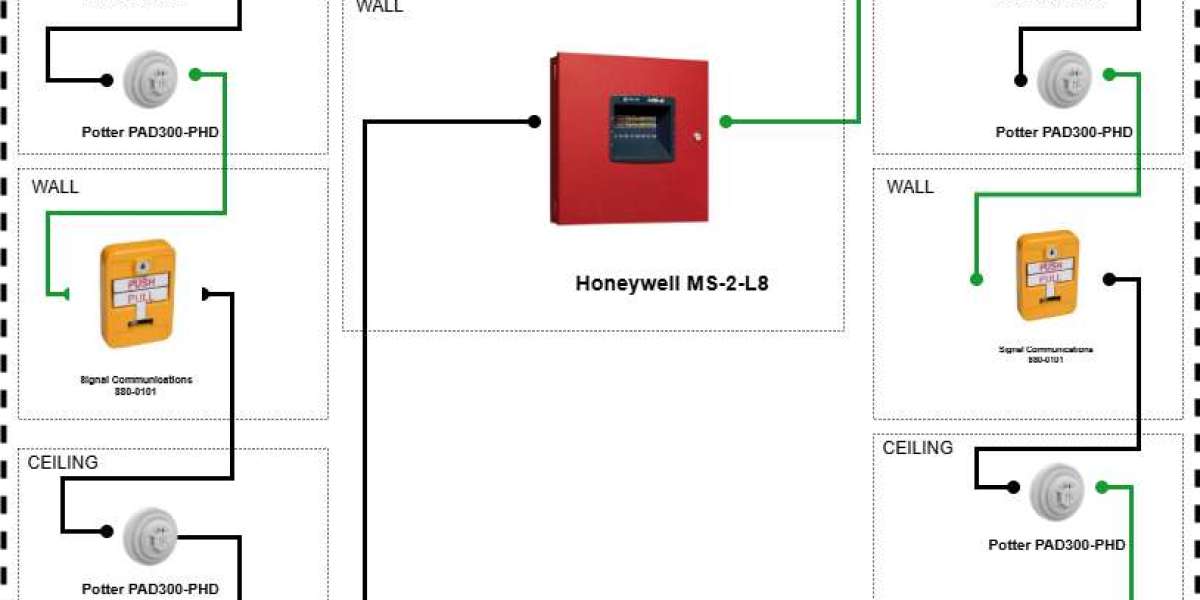

Fire alarm system designs evolve over time, and many engineers still have valuable legacy CAD drawings of older projects. While these drawings contain important design information, working with them in modern projects can be challenging. Traditional CAD files may lack integration with current fire alarm standards, automated circuit calculations, or device libraries. Converting these old designs into modern Fire Alarm Design Software formats is essential for updating, revising, or expanding systems efficiently.
XTEN-AV is a leading fire alarm system design software that allows seamless conversion of legacy CAD drawings into digital, code compliant, and submission ready modern formats. This blog will explain how to convert old CAD fire alarm designs into modern software, the benefits of doing so, and best practices for accurate and efficient conversion.
Why converting old CAD designs is important
Preserve valuable data
Old CAD drawings contain layouts, device locations, panel information, and circuit paths. Converting them preserves this information for reuse in modern designs.Enable automation
Modern fire alarm system design software automates circuit calculations, voltage drop analysis, and panel loading. Converting old CAD files allows engineers to leverage these features.Ensure compliance
Legacy CAD designs may not fully comply with current NFPA, UL, or EN54 standards. Importing them into modern software allows real time compliance validation.Simplify revisions
Updating layouts, adding devices, or modifying circuits is easier in modern software than manually editing CAD files.Professional documentation
Modern software generates submission ready schematics, panel load reports, and device lists that may not be possible from old CAD drawings.
Challenges of converting CAD designs
Different file formats: Legacy CAD files may be in DWG, DXF, or older versions that are not compatible with modern software.
Layer complexity: CAD drawings often have multiple layers with varying naming conventions that must be interpreted correctly.
Missing metadata: Device specifications, circuit information, or panel details may not be included in old CAD files.
Manual adjustments: Some parts of the design may require verification or reannotation during conversion.
How Fire Alarm Design Software simplifies CAD conversion
Step 1. Import legacy CAD files
XTEN-AV supports DWG, DXF, and PDF CAD files. Start by importing the old fire alarm drawings into the software. The software retains all layers and scale information, providing an accurate base for device placement and circuit design.
Step 2. Map layers and objects
Identify layers for walls, ceilings, rooms, panels, and existing devices. Modern software allows you to map these layers to compatible objects in the Fire Alarm Design Software environment. For example, smoke detectors in CAD layers can be recognized as device symbols within the software.
Step 3. Verify and update device specifications
Legacy CAD drawings may not include detailed device specifications. Use XTEN-AV’s preloaded device libraries to assign accurate device types, ratings, and manufacturer specifications. This ensures all devices are compliant with NFPA, UL, or EN54 standards.
Step 4. Define circuits and zones
Manually interpreted circuit lines in CAD drawings can now be assigned to NAC, initiating, or auxiliary circuits in XTEN-AV. The software calculates device loads, voltage drop, and panel capacity in real time. Define zones for panels to ensure proper coverage and fault isolation.
Step 5. Optimize layout and device placement
During conversion, review device spacing, coverage, and accessibility. XTEN-AV can automatically suggest improvements, ensuring compliance and operational efficiency while retaining the original CAD layout as a reference.
Step 6. Validate the design
Run automated validation to check:
Device counts per circuit
Voltage drop and panel loading
Zone compliance and coverage
NFPA, UL, or EN54 code compliance
This step ensures the converted design is fully functional and safe for implementation.
Step 7. Generate updated documentation
After conversion and validation, XTEN-AV produces professional schematics, device lists, circuit reports, and panel load summaries. These reports replace old CAD documentation and are ready for submission, installation, or maintenance purposes.
Benefits of using XTEN AV for CAD conversion
Accurate import of legacy CAD files: Supports multiple formats and preserves layer and scale information.
Device library integration: Update and assign certified devices automatically.
Automated circuit and voltage calculations: Validate NAC and initiating circuits for compliance and performance.
Real time code compliance: EN54, UL, and NFPA checks ensure modern standards are met.
Professional reporting: Generate submission ready diagrams and reports instantly.
Cloud based collaboration: Team members can access the project simultaneously for faster conversion and review.
Best practices for converting CAD fire alarm designs
Review original CAD files
Ensure the drawings are complete and legible. Identify missing information that may need to be supplemented during conversion.Standardize layers
Map legacy CAD layers to logical categories in the software for easier device recognition and circuit assignment.Verify all devices
Check that each device in the CAD drawing has correct specifications, type, and compliance status.Optimize circuits and zones
Use modern software tools to balance panel loads, reduce voltage drop, and improve alarm coverage.Validate thoroughly
Run all automated checks in XTEN-AV to ensure the converted design meets standards and is installation ready.Document everything
Generate professional diagrams, device lists, and reports for approvals and future maintenance.
Conclusion
Converting old CAD fire alarm designs into modern software formats is essential for efficiency, accuracy, and compliance. Legacy CAD files contain valuable information but lack automation, device libraries, and real time compliance features of modern Fire Alarm Design Software. XTEN-AV enables seamless conversion of legacy CAD drawings into digital, code compliant, and submission ready formats. By importing CAD files, mapping layers, updating device specifications, defining circuits and zones, and validating the design, engineers can preserve valuable data while taking advantage of modern automation and reporting. Using XTEN-AV for CAD conversion ensures accurate, reliable, and professional fire alarm system designs for both new and existing projects.
Read more: https://sites.google.com/view/avsolutionhub/blog/5-reasons-to-choose-xten-av-over-firecad